Article · Denny's Tips
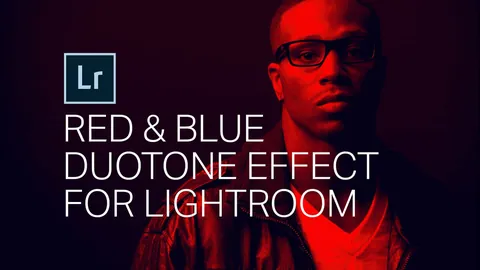
How to Get the Red and Blue Duotone Look in Lightroom
By Denny Tang
- Type
- Article
- Level
- Intermediate
- Price
- Free
- Published
- 2017
About this lesson
Compares a quick Split Toning approach with a channel-by-channel tone-curve method for a red and blue duotone, including saving a preset and entering custom colours by RGB value. Explains why the curve method gives cleaner results.
Related lessons

How to Apply Colour Theory in Photography Using Adobe Lightroom
Article
Free
Trent Ogilvie
Article
How to Create a Duotone Effect in Lightroom
Article
Free
Lightroom Tutorials
Fundamentals of Photography
Course · 107 lessons
$299
John Greengo

The Photography Starter Kit for Beginners
Course · 16 lessons
$149
John Greengo

Get Started
Course · 32 lessons
$199
Lifestyle Family Photography with Elena S Blair
Fine Art Photography: The Complete Guide
Course · 138 lessons
$299
Brooke Shaden