Article · Lenscraft
How to Create Film Grain Texture in Photoshop
- Type
- Article
- Level
- Intermediate
- Price
- Free
- Published
- 2025
About this lesson
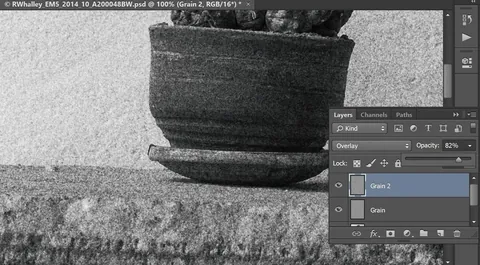
Photographer Robin Whalley's six-step method for building a controllable film grain effect in Photoshop: filling a new layer with 50% gray, applying monochromatic Gaussian noise, softening it with Gaussian Blur, then tuning opacity and blend mode (Overlay, Soft Light, Multiply, Screen), including stacking multiple grain layers.
Related lessons

What 7 Black & White Masters Taught Me About Seeing
Free
Video · 13 min
The Photographic Eye

7 tips for black & white street photography with Alan Schaller
Free
Video · 5 min
COOPH

Black and White Photography Techniques You Didn't Know You Needed
Free
Video · 18 min
fototripper

How To Make LONG EXPOSURE Fine Art Landscape Photography
Free
Video · 13 min
Mads Peter Iversen

9 quick tips for BETTER BLACK & WHITE photos
Free
Video · 11 min
Jamie Windsor

Five Black-and-White Editing Mistakes (and How to Fix Them)
Free
Video · 9 min
Walk Like Alice