Article · FinerWorks Help & Support
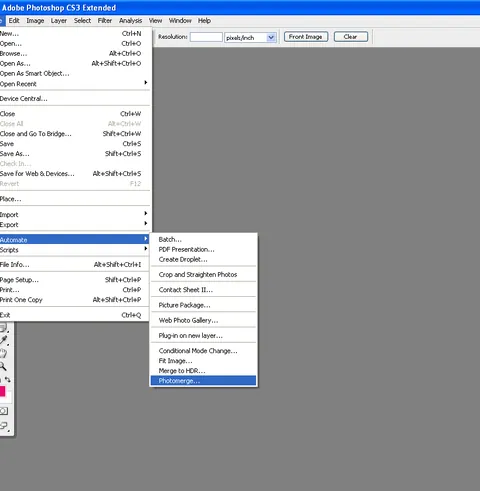
PhotoMerge: Piecing it back together with PS
By James Theopistos
- Type
- Article
- Level
- Beginner
- Price
- Free
- Published
- 2010
About this lesson
Walks through scanning oversized work in overlapping sections and stitching them with Photoshop's Photomerge auto layout and blending, with scanning and monitor tips.
Related lessons

How I Make Art Prints from my Home Studio for my Art Business
Free
Video · 19 min
Annie Quigley Art

How I Make Fine Art Prints of my Paintings
Free
Video · 17 min
Brooke Cormier

How to Choose the Best Paper for Art Prints | Making Fine Art Prints at Home | art business
Free
Video · 12 min
Sunshine & ARTXSUN

Hand-Embellishing Giclée Prints | Florida Art Vlog
Free
Video · 11 min
Brooke Cormier

Choosing the best fine art & photo papers - just what is baryta, why does it vary between printers.
Free
Video · 16 min
Keith Cooper
Adding Reproductions to Your Portfolio—CHF Interviews Neil Ganucheau
Free
Article
Sofia Perez